An official website of the Commonwealth of Massachusetts Here's how you knowHere's how you know

 |
This topic has been recently added to the Online Guide or has been substantially or completely revised |
SNAP Path to Work Website
The SNAP Path to Work program offers SNAP-only clients opportunities to gain education, skills, training, and/or work experience that increase their ability to secure employment that supports career pathways and economic mobility. Detailed information about the services available through the SNAP Path to Work program can be accessed by visiting the SNAP Path to Work website: www.snappathtowork.org.
DTA staff may use the SNAP Path to Work website to help SNAP-only clients locate education, training and volunteer opportunities. Clients interested in learning more about SNAP Path to Work participation should be instructed to visit the website and call or request contact from a provider if interested in a specific program or a DTA SNAP Employment and Training (SNAP E&T) Specialist via the toll-free SNAP Path to Work Line: 888-483-0255 with generic interest or questions about participation.
Information for SNAP Clients
By visiting the website, a SNAP client can:
- learn about the types of activities available through the SNAP Path to Work program;
- search for SNAP Path to Work activity by location, program type, and/or keyword, and look for programs that meet the ABAWD work rules, are CORI friendly, may be offered remotely, and/or are accessible by public transportation;
- request contact from a specific SNAP Path to Work Provider to explore possible enrollment; and
- People subject to the ABAWD Work Rules can search for organizations where they might be able to volunteer.
Note: The sites listed on the website are not the only acceptable volunteer sites.
Information for Providers
By visiting the website a potential SNAP Path to Work Provider can:
- learn about the benefits of becoming a SNAP Path to Work Provider;
- access information about upcoming provider recruitment events;
- learn about the activity offered by current SNAP Path to Work Providers; and
- express interest in becoming a provider.
Website Translation
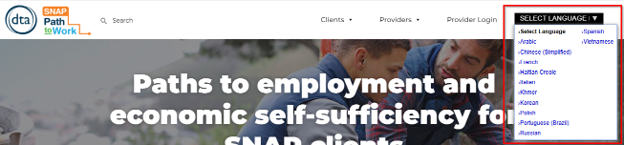
Website content can be viewed in multiple languages. To request translation of website content, select a language from the drop-down list in the upper right-hand corner of the page. View/HideView/Hide
Find a SNAP Path to Work Program or Provider
Website visitors can locate education or training opportunities using the Education and Training Program Search function. To search for an education and training activity:
- select Education and Training from the Activity Tab on the home screen; View/HideView/Hide

- if looking for programs in a certain area, enter an address or city/town name in the Location? field (optional);
Note: To search by location, you must enter City/Town, State (Example: Boston, MA). The default search area is within 10 miles of the entered location.
- select the preferred program type (Vocational Skills Training, Work Readiness Training, etc.) from the Program type dropdown selection (optional); and/or
- if looking for something specific, enter one or more keywords in the What are you looking for? field (examples: Pharmacy Technician, English, CNA);
- click Search
- The search results page will open, displaying the programs that meet the entered search criteria. From here, you can:
- change the entered search criteria;
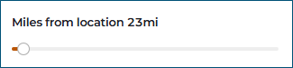
- expand the search area by moving the Miles from location slide bar if needed; View/HideView/Hide
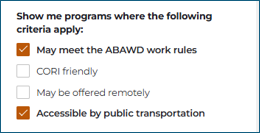
- filter the search results to show only programs that:
- may meet the ABAWD work rules
- are CORI friendly
- may be offered remotely; and/or
- are accessible by public transportation by checking the applicable filter box(es) (optional) View/HideView/Hide
- view search results by provider by selecting the Providers tab (optional) View/HideView/Hide

A list of SNAP Path to Work programs that meet the selected criteria will appear. By clicking the program card, the user can access:
- the address, phone number, and website information of the provider;
- a detailed description of the program, including:
- a description of the program activities;
- program hours and duration;
- program requirements;
- program contact information; and more! View/HideView/Hide
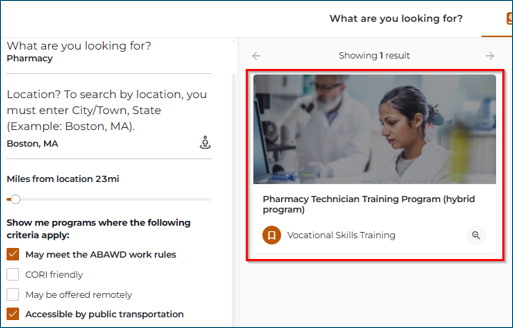
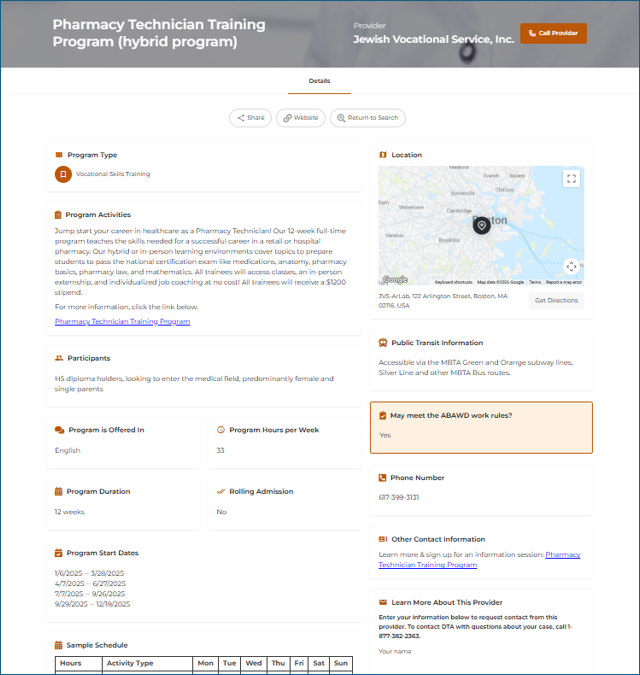
Note: Participation in certain employment and training activity is one way that a client could meet the ABAWD work rules. SNAP Path to Work activity that may meet is flagged with the tag “May Meet the ABAWD work rules.” Enrollment in qualifying components is not limited to ABAWDs.
To access driving, transit, walking and cycling directions to the provider, click the Get Directions box next to the address.
Requesting Contact from a SNAP Path to Work Provider
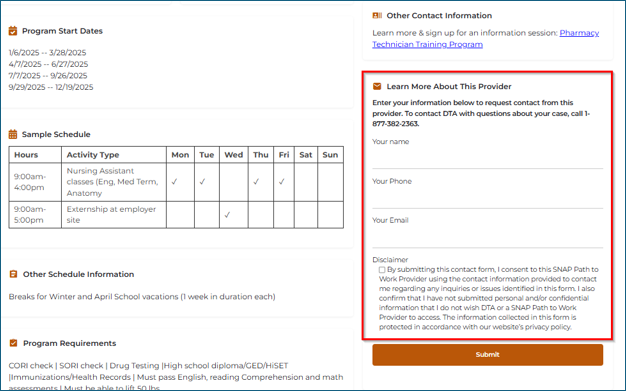
Clients who are interested in learning more about a specific program can request contact from the provider by completing the Learn More About This Provider form (located to right of the program details). To do so, the client must:
enter the client’s name,phone number, and email in the appropriate boxes
check the Disclaimer box. By checking this box, the client consents to the selected SNAP Path to Work Provider using the contact information provided to contact them, and confirms that they have not submitted personal and/or confidential information that they do not wish DTA or a SNAP Path to Work Provider to access. The information collected in this form is protected in accordance with the website’s privacy policy
click Submit
The Provider will receive a list of clients who have requested contact and will reach out to these clients using the phone number or email that was provided. View/HideView/Hide
Find a Potential ABAWD Volunteer Site
People subject to the ABAWD work rules can locate organizations where they may be able to volunteer by:
- selecting the ABAWD Volunteer Sites tab
- in the search field on the home screen: or View/HideView/Hide

- on the search results page; View/HideView/Hide
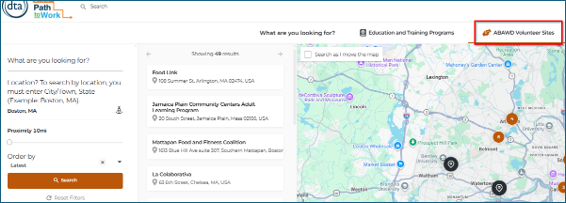
- on the search results page; View/HideView/Hide
- if looking for programs in a certain area, enter an address or city/town name in the Location? field (optional);
Note: To search by location, you must enter City/Town, State (Example: Boston, MA). The default search area is within 10 miles of the entered location.
- if looking for something specific, enter one or more keywords in the What are you looking for? field;
- expand the search area by moving the Proximity slide bar on the search results page if needed;
- click Search.
A list of public, non-profit and quasi-public organizations that have agreed to be listed on the website will appear. By clicking the name of an organization, the user can access the following:
- address, phone number, and website information of the organization;
- an organization overview;
- a description of the volunteer activities;
- contact information; and more. View/HideView/Hide
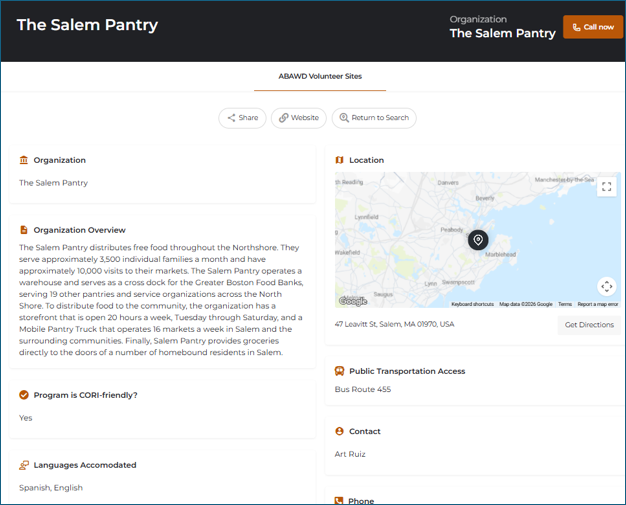
To access driving, transit, walking and cycling directions to the organization, click the Get Directions box next to the address.
Important information: Volunteer opportunities listed on the website are not guaranteed. Clients must contact the organization to find out if they are accepting new volunteers and if the client and the site are a good fit for one another. The sites listed on the website are not the only acceptable volunteer sites. See ABAWD Work Rules Participation for more information.
Last Update: September 24, 2026
|
| ||
| Digital Accessibility Statement | Privacy Policy | Site Policies | Public Records Requests |
© 2026 Commonwealth of Massachusetts. Mass.gov is a registered service mark of the Commonwealth of Massachusetts. | |||

