An official website of the Commonwealth of Massachusetts Here's how you knowHere's how you know

Navigating NewMMIS to Determine Disability
The New Medicaid Management Information System (NewMMIS) is an interface the Department uses to determine if a client is deemed disabled through MassHealth standards. It is also used to create temporary MassHealth Member IDs and issue replacement MassHealth Member ID cards for TAFDC and EAEDC clients.
Using the steps outlined below will help you navigate the NewMMIS system and determine if a client meets disability standards for SNAP and/or Economic Assistance programs. If you do not have access to NewMMIS, please consult with your supervisor who will provide guidance to obtain this information based on local TAO procedures.
How to Use MMIS to Determine Disability for a Client
- Log into Virtual Gateway and access NewMMIS. The NewMMIS homepage will appear. View/HideView/Hide
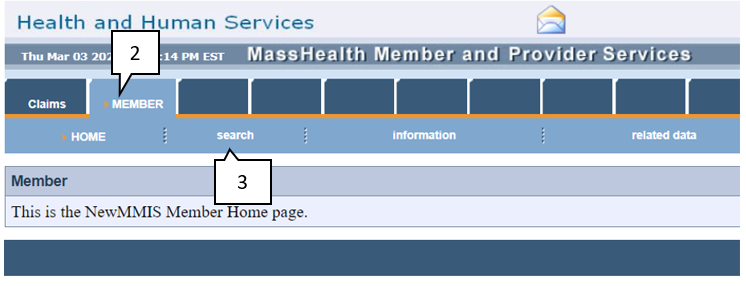
- Click Member
- Click Search
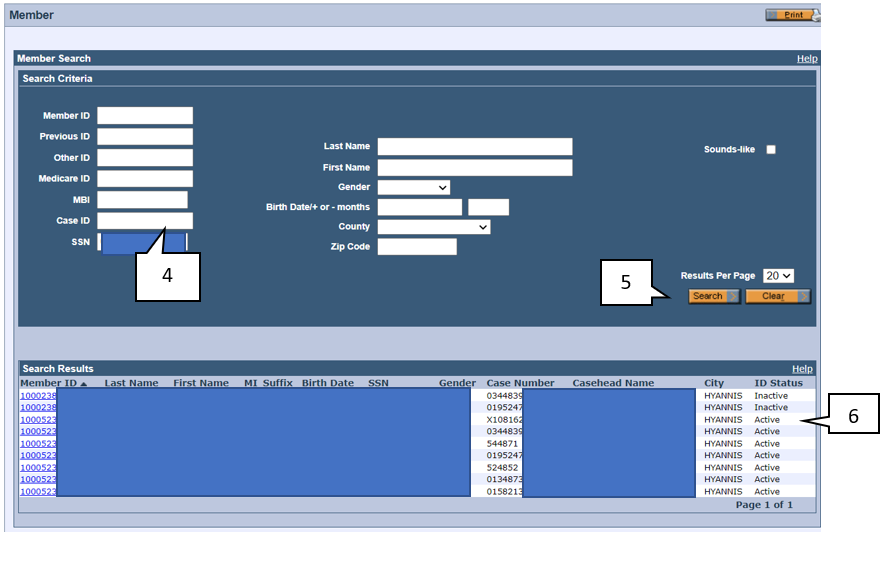
- Enter the client’s Social Security Number
- Click Search
- A list will appear with all the current and past cases that the client is associated with. You must select the most recent active case (typically located towards the top of the list). View/HideView/Hide
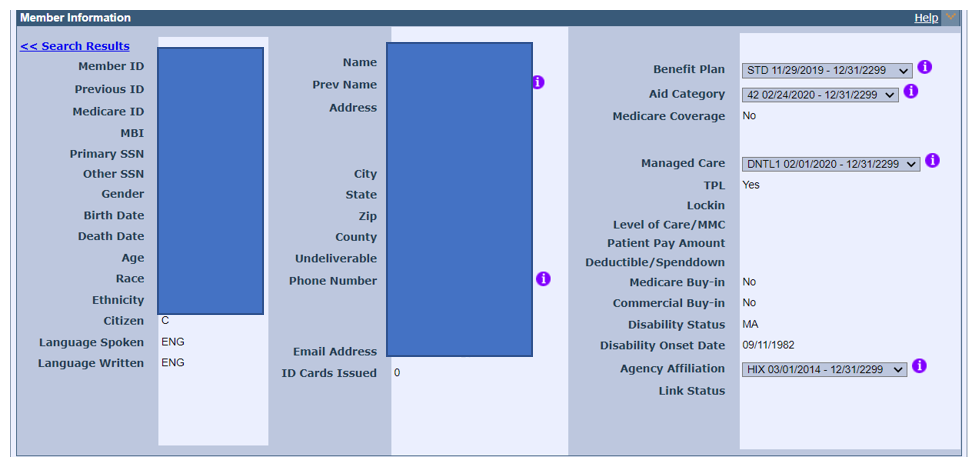
- Once selected, the Member Information page will appear showing the client’s MassHealth Member Information. View/HideView/Hide
Using New Medicaid Management Information System (NewMMIS) to Determine Disability
NewMMIS can be used in determining if a client is disabled if the client is receiving disability-related medical assistance. If the client is listed as active and has a qualifying Disability Status code, this verifies disability for the client. View/HideView/Hide
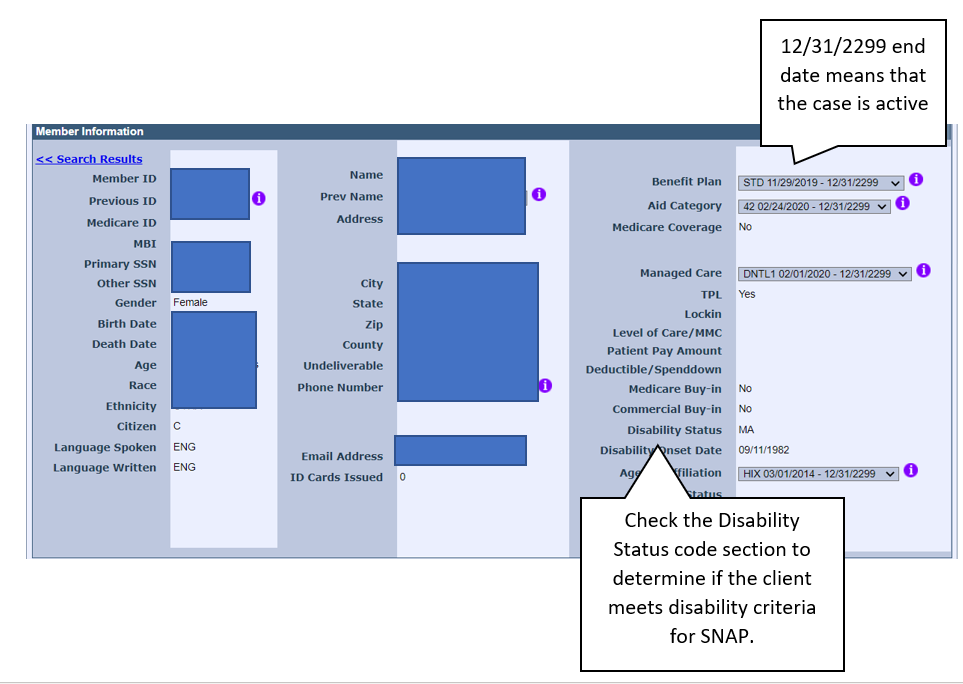
In the above example, this client’s Disability Code is MA, which means the client is verified as disabled via UMass Disability Evaluation Services.
Disability Status codes that identify the client as disabled are:
- DA – verified as federally disabled via SSA
- MA – verified as disabled via UMass Disability Evaluation Services
- BL – verified as disabled via Massachusetts Commission for the Blind
Last Update: May 17, 2022
|
|
|
||
| Digital Accessibility Statement | Privacy Policy | Site Policies | Public Records Requests |
|
© 2026 Commonwealth of Massachusetts. Mass.gov is a registered service mark of the Commonwealth of Massachusetts. |
|||

