An official website of the Commonwealth of Massachusetts Here's how you knowHere's how you know

RAPID Reports Job Aid
The Reports Analysis & Protected Information Dashboards (RAPID) is accessible through a link on the BEACON5 Home Page located in the upper left-hand side of the screen in the area called Useful Links. These reports largely mirror Views available in BEACON, but allow staff to better interact with the data to focus on clients in various stages of certification.
To open RAPID:
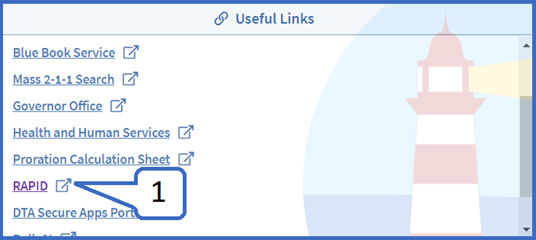
- On the home page in BEACON5 under useful links, click the RAPID link. view/hideview/hide
-
Important: Your username for RAPID is your active directory username (i.e., jsmith) and the password is your active directory password (i.e., the password you use to log into your workstation.
-
- On the RAPID Home page click BEACON Reports. view/hideview/hide
To open a specific report: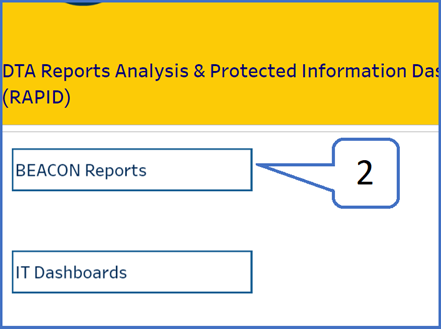
- To select a report:
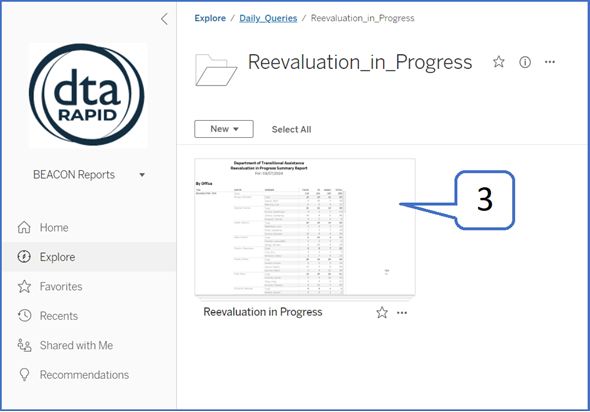
- select the folder needed, for example Daily Queries,
- select the report by name, for example Reevaluation in Progress and click on the report itself view/hideview/hide
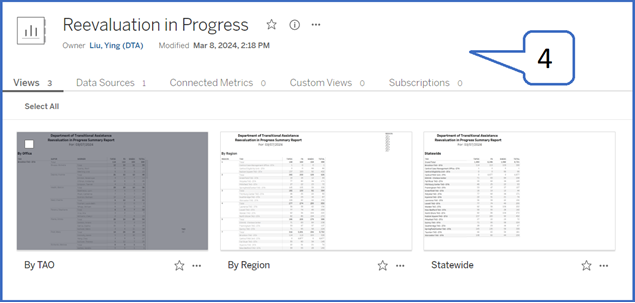
- You will then have the option to choose by TAO, Region, or Statewide. To make your selection, click on the report. view/hideview/hide
- Once in the report, you may select the report date you would like to view. You may view the entire report or select a specific office to view view/hideview/hide
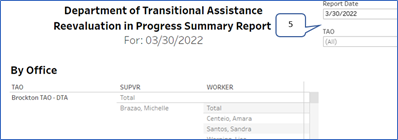
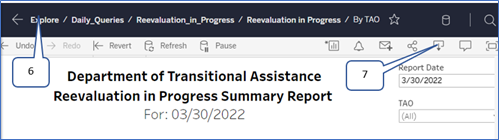
- To choose a different report, you can navigate back to the explore page by clicking Explore at the top of the window.
- You may also save the document as an Excel file by clicking the download icon and then click “Download all rows as a text file” view/hideview/hide
Last Update: April 24, 2025
|
|
|
||
| Digital Accessibility Statement | Privacy Policy | Site Policies | Public Records Requests |
|
© 2026 Commonwealth of Massachusetts. Mass.gov is a registered service mark of the Commonwealth of Massachusetts. |
|||

